 gnezim
184 lines
6.4 KiB
Markdown
184 lines
6.4 KiB
Markdown
# react-inspector
|
|
|
|
[](https://travis-ci.org/storybookjs/react-inspector)
|
|
[](https://www.npmjs.com/package/react-inspector)
|
|
[](https://www.npmjs.com/package/react-inspector)
|
|
|
|
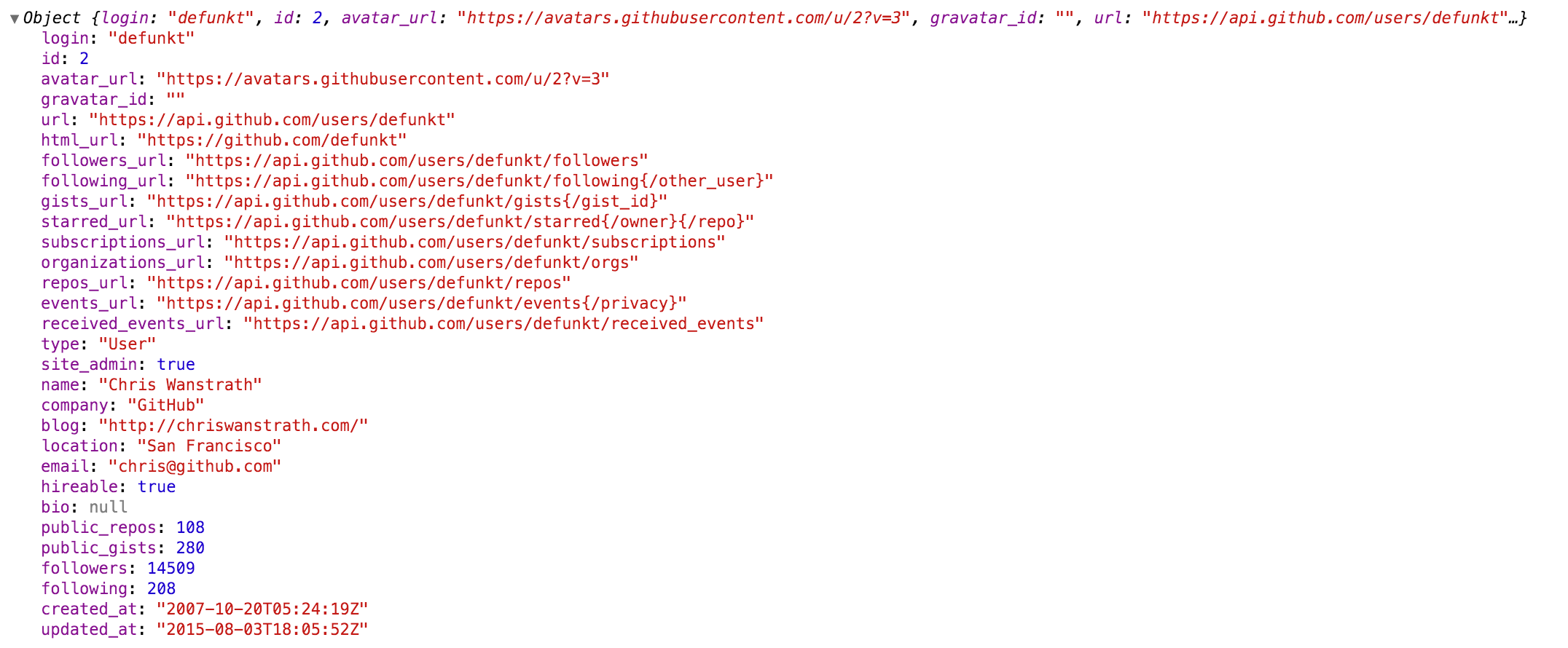
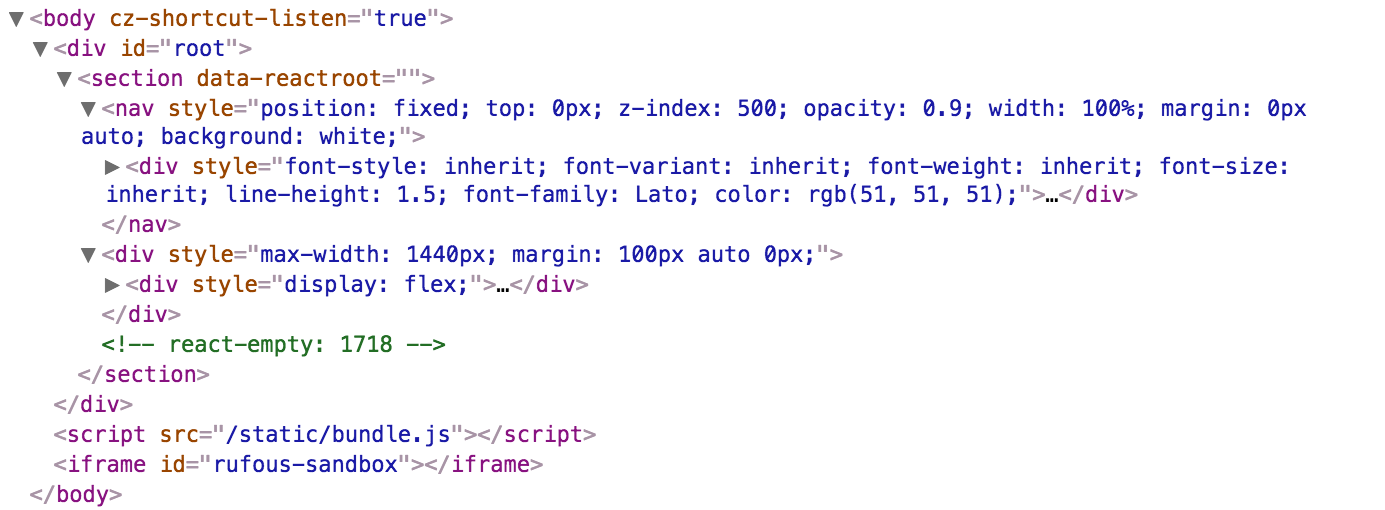
Power of [Browser DevTools](https://developers.google.com/web/tools/chrome-devtools/) inspectors right inside your React app. Check out the [interactive playground](https://storybookjs.github.io/react-inspector/) or [storybook](https://react-inspector.netlify.com).
|
|
|
|
|
|
|
|
|
|
|
|

|
|
|
|
## Install
|
|
|
|
NPM:
|
|
|
|
```sh
|
|
npm install react-inspector
|
|
```
|
|
|
|
Recommended versions:
|
|
|
|
- version `3.0.2`: If you are using React 16.8.4 or later.
|
|
- version `2.3.1`: If you are using an earlier version of React.
|
|
|
|
## Getting started
|
|
|
|
### <Inspector />
|
|
|
|
A shorthand for the inspectors.
|
|
|
|
- `<Inspector/>` is equivalent to `<ObjectInspector>` or `<DOMInspector>` if inspecting a DOM Node.
|
|
- `<Inspector table/>` is equivalent to `<TableInspector>`.
|
|
|
|
### <ObjectInspector />
|
|
|
|
Like `console.log`. Consider this as a glorified version of `<pre>JSON.stringify(data, null, 2)</pre>`.
|
|
|
|
#### How it works
|
|
|
|
Tree state is saved at root. If you click to expand some elements in the hierarchy, the state will be preserved after the element is unmounted.
|
|
|
|
#### API
|
|
|
|
The component accepts the following props:
|
|
|
|
**`data: PropTypes.any`:** the Javascript object you would like to inspect
|
|
|
|
**`name: PropTypes.string`:** specify the optional name of the root node, default to `undefined`
|
|
|
|
**`expandLevel: PropTypes.number`:** an integer specifying to which level the tree should be initially expanded
|
|
|
|
**`expandPaths: PropTypes.oneOfType([PropTypes.string, PropTypes.array])`:** an array containing all the paths that should be expanded when the component is initialized, or a string of just one path
|
|
|
|
- The path string is similar to [JSONPath](https://goessner.net/articles/JsonPath/).
|
|
- It is a dot separated string like `$.foo.bar`. `$.foo.bar` expands the path `$.foo.bar` where `$` refers to the root node. Note that it only expands that single node (but not all its parents and the root node). Instead, you should use `expandPaths={['$', '$.foo', '$.foo.bar']}` to expand all the way to the `$.foo.bar` node.
|
|
- You can refer to array index paths using `['$', '$.1']`
|
|
- You can use wildcard to expand all paths on a specific level
|
|
- For example, to expand all first level and second level nodes, use `['$', '$.*']` (equivalent to `expandLevel={2}`)
|
|
- the results are merged with expandLevel
|
|
|
|
**`showNonenumerable: PropTypes.bool`:** show non-enumerable properties
|
|
|
|
**`sortObjectKeys: PropTypes.oneOfType([PropTypes.bool, PropTypes.func])`:** Sort object keys with optional compare function
|
|
|
|
When `sortObjectKeys={true}` is provided, keys of objects are sorted in alphabetical order except for arrays.
|
|
|
|
**`nodeRenderer: PropTypes.func`:** Use a custom `nodeRenderer` to render the object properties (optional)
|
|
|
|
- Instead of using the default `nodeRenderer`, you can provide a
|
|
custom function for rendering object properties. The _default_
|
|
nodeRender looks like this:
|
|
|
|
```js
|
|
import { ObjectRootLabel } from 'react-inspector'
|
|
import { ObjectLabel } from 'react-inspector'
|
|
|
|
const defaultNodeRenderer = ({ depth, name, data, isNonenumerable, expanded }) =>
|
|
depth === 0
|
|
? <ObjectRootLabel name={name} data={data} />
|
|
: <ObjectLabel name={name} data={data} isNonenumerable={isNonenumerable} />;
|
|
```
|
|
|
|
### <TableInspector />
|
|
|
|
Like `console.table`.
|
|
|
|
#### API
|
|
|
|
The component accepts the following props:
|
|
|
|
**`data: PropTypes.oneOfType([PropTypes.array, PropTypes.object])`:** the Javascript object you would like to inspect, either an array or an object
|
|
|
|
**`columns: PropTypes.array`:** An array of the names of the columns you'd like to display in the table
|
|
|
|
### <DOMInspector />
|
|
|
|
#### API
|
|
|
|
The component accepts the following props:
|
|
|
|
**`data: PropTypes.object`:** the DOM Node you would like to inspect
|
|
|
|
#### Usage
|
|
|
|
```js
|
|
import {ObjectInspector, TableInspector} from 'react-inspector';
|
|
|
|
// or use the shorthand
|
|
import Inspector from 'react-inspector';
|
|
|
|
const MyComponent = ({ data }) =>
|
|
<div>
|
|
<ObjectInspector data={data} />
|
|
<TableInspector data={data} />
|
|
|
|
<Inspector data={data} />
|
|
<Inspector table data={data} />
|
|
</div>
|
|
|
|
let data = { /* ... */ };
|
|
|
|
ReactDOM.render(
|
|
<MyComponent data={data} />,
|
|
document.getElementById('root')
|
|
);
|
|
```
|
|
|
|
Try embedding the inspectors inside a component's render() method to provide a live view for its props/state (Works even better with hot reloading).
|
|
|
|
### More Examples
|
|
|
|
Check out the storybook for more examples.
|
|
|
|
```sh
|
|
npm install && npm run storybook
|
|
```
|
|
|
|
Open [http://localhost:9001/](http://localhost:9001/)
|
|
|
|
## Theme
|
|
|
|
By specifying the `theme` prop you can customize the inspectors. `theme` prop can be
|
|
|
|
1. a string referring to a preset theme (`"chromeLight"` or `"chromeDark"`, default to `"chromeLight"`)
|
|
2. or a custom object that provides the necessary variables. Checkout [`src/styles/themes`](https://github.com/storybookjs/react-inspector/tree/master/src/styles/themes) for possible theme variables.
|
|
|
|
**Example 1:** Using a preset theme:
|
|
|
|
```js
|
|
<Inspector theme="chromeDark" data={{a: 'a', b: 'b'}}/>
|
|
```
|
|
|
|
**Example 2:** changing the tree node indentation by inheriting the chrome light theme:
|
|
|
|
```js
|
|
import { chromeLight } from 'react-inspector'
|
|
|
|
<Inspector theme={{...chromeLight, ...({ TREENODE_PADDING_LEFT: 20 })}} data={{a: 'a', b: 'b'}}/>
|
|
```
|
|
|
|
## Roadmap
|
|
|
|
Type of inspectors:
|
|
|
|
- [x] Tree style
|
|
- [x] common objects
|
|
- [x] DOM nodes
|
|
- [x] Table style
|
|
- [ ] Column resizer
|
|
- [ ] Group style
|
|
|
|
## Contribution
|
|
|
|
Contribution is welcome. [Past contributors](https://github.com/storybookjs/react-inspector/graphs/contributors)
|
|
|
|
## Additional
|
|
|
|
- If you intend to capture `console.log`s, you may want to look at [`console-feed`](https://www.npmjs.com/package/console-feed).
|
|
- `react-object-inspector` package will be deprecated. `<ObjectInspector/>` is now part of the new package `react-inspector`.
|
|
- Why inline style? [This document](https://github.com/erikras/react-redux-universal-hot-example/blob/master/docs/InlineStyles.md) summarizes it well.
|